Aurora One

Aurora Shredder · Permanent erase for Windows

Permanent erase that proves it worked.

With a normal delete, a file only disappears from view; recovery programs can bring it back. Aurora Shredder overwrites the content, reads it back from the disk to verify, then deletes the file and its name. It also cleans free space and external disks. It tells you up front what it cannot do, especially the limit on SSDs.

21 languages

  • 0 / 1626 traces left in a raw scan of the test USB stick: erased with Shredder / deleted normally
  • 38/38 steps passed in an administrator acceptance run on a real computer (11 Oct 2026)
  • SSD no chip-level guarantee for a single file; BitLocker or wiping the disk is recommended
  • Free single pass with verification, and quick erase
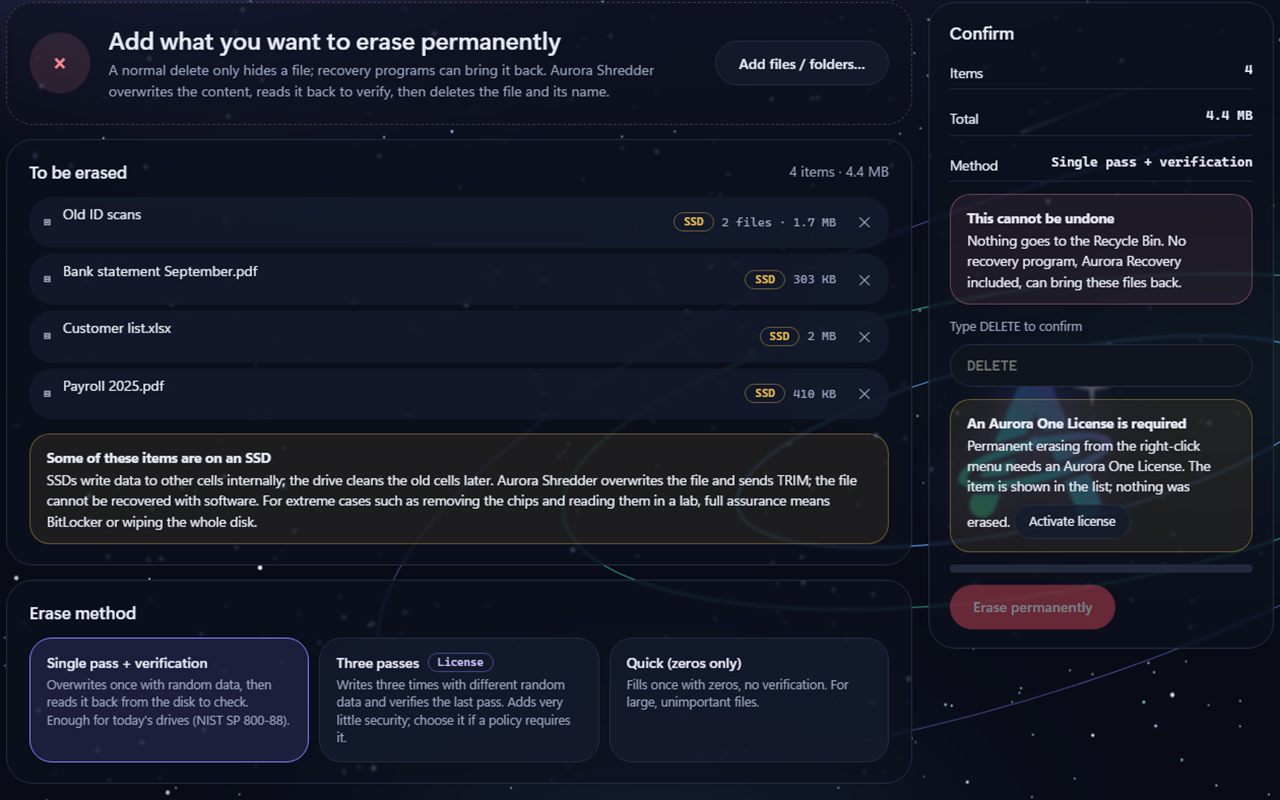
Aurora Shredder Erase files screen: the list to erase, a Some of these items are on an SSD notice, Single pass, Three passes and Quick erase methods; the Confirm box and an Erase permanently button on the right.
Example view · sample data, taken with test files; names and numbers on screen are examples

Three promises

It writes first, verifies, and deletes last

In an operation that cannot be undone, the most important thing is being sure of what was done. That is why Aurora Shredder verifies every step.

It does not delete without verifying

The file's content is overwritten with random data up to the cluster boundary, read back from the disk without caching and verified byte for byte. If verification fails, the file is not deleted and an error is shown.

  • Overwriting runs to the cluster boundary, free tail space included
  • After deleting, timestamps and the name are scrambled too
It does not run until you type

To erase, you type DELETE (SİL in the Turkish version); the confirmation is also checked on the server side. To wipe a whole disk, you type the last four digits of the disk's serial number, and the disk identity is read again right before the operation starts.

  • It does not go to the Recycle Bin and cannot be undone
  • While unlicensed, locked operations delete nothing

It protects the system

It does not delete the Windows folder, a drive root, a user profile root or the program's own folder; it does not wipe the disk Windows runs from or boots from. It does not follow links (junctions, symbolic links): if one is selected, only the link itself is deleted and its target is never opened.

  • Locked and hard-linked files are skipped and reported
  • It warns about compressed, sparse and EFS files

How it looks

Erase files, free space, wipe a disk

You move between operations with the tabs at the top; every screen shows what will happen first, then the warnings, and the erase button last. The screens below are example views of the program's real English interface, taken in a rehearsal environment with test files and a test USB stick; file paths and the disk serial number are hidden, and names and numbers are sample data.

Aurora Shredder Erase files screen: the list to erase, SSD notice, erase methods and the Confirm box.
Erase filesYou add files and folders; the ones on an SSD are marked and an SSD notice is shown. Method: Single pass with verification (default), Three passes (licence) or Quick. Example view · sample data.
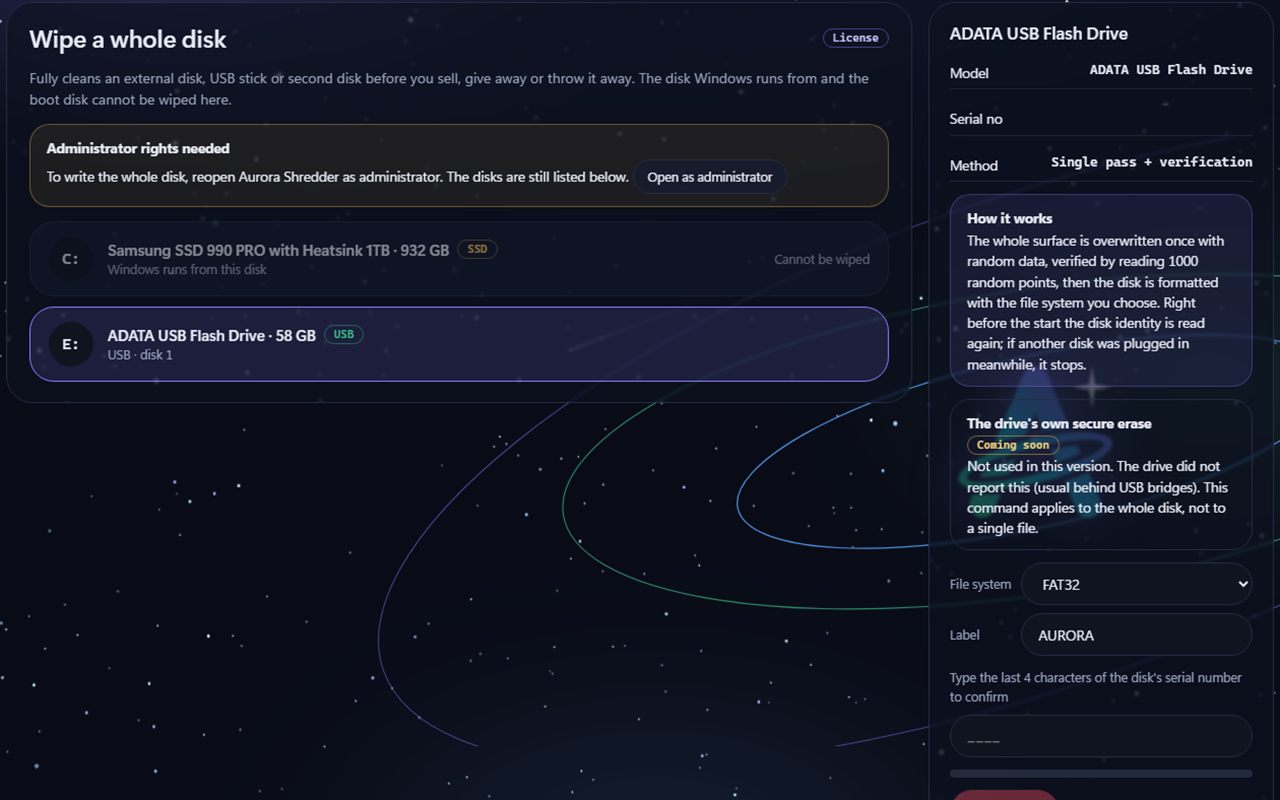
Aurora Shredder Wipe a disk screen: the disk Windows runs on is marked as cannot be wiped, a USB stick is selected; an Administrator rights needed notice and a drive's own secure erase box labelled Coming soon.
Wipe a diskCleans an external disk, USB stick or second disk completely before you sell, gift or throw it away. The disk Windows runs on cannot be wiped here. The disk's own secure-erase command is Coming soon. Example view · sample data; the disk serial number is hidden.
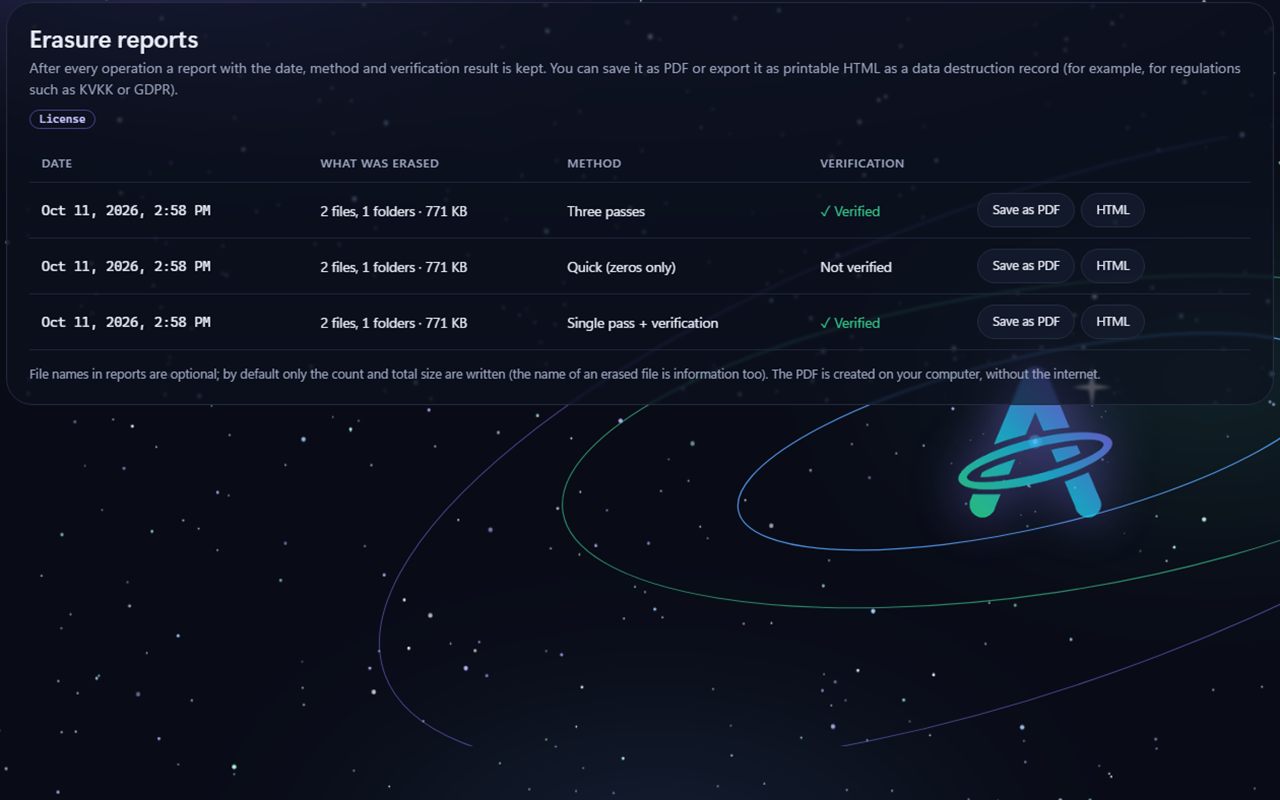
Aurora Shredder Erasure reports screen: a table of operations with date, what was erased, method and verification result, and Save as PDF and HTML buttons.
Erasure reportsAfter every operation a report with the date, method and verification result is kept; it can be saved as PDF or exported as printable HTML. File names are written to a report only if you turn that on. Example view · sample data.

What it can do

From one file to a whole disk, permanent erase

Features with a Beta badge were coded and tested in a test environment but have not yet been fully tried in real conditions. The feature with a Coming soon badge is not in the program yet.

Erasing files and folders

Deletes files and folders from the inside out. The method can be chosen: Single pass with verification (random data, read back and checked; enough for today's disks), Three passes (licence) and Quick (fills with zeros, no verification). Then the size is cut to zero, timestamps are reset, the name is changed to a random one three times and the file is deleted.

NTFS details

On NTFS, alternate data streams (ADS) are erased first with the same method; small files held inside the MFT record are overwritten too. For compressed, sparse and EFS-encrypted files it notes that there is no physical-cluster guarantee.

It does not follow links

If a junction or symbolic link is selected, or is inside a folder, only the link itself is deleted; its target is never visited. In the acceptance run the SHA-256 of the target stayed the same.

Wipe free space

On HDDs and USB sticks it fills all free space with random data in temporary files (several files on FAT32 because of its 4 GB limit), reads back from sample points to verify, then deletes them. On NTFS the records of deleted file names (empty MFT records) are cleaned too. It does not start if the battery is under 30%.

TRIM on SSDs

On an SSD it does not fill free space: Windows' own TRIM command is run and the limits are stated plainly. If Windows' TRIM notification is off when a file is deleted, a note goes into the report.

Wipe a whole disk

Cleans an external disk, USB stick or second disk completely before you sell or throw it away: random data is written once over the whole surface, verified by reading 1000 random points, then it is formatted as a single partition with the file system you choose. It asks for administrator permission; the disk Windows runs on or boots from cannot be wiped. The previous drive letter is assigned back.

Reports and PDF

A report is written for every operation: method, verification result, size, skipped items, disk model. File names are not written to the report by default. A report can be saved as HTML or PDF; the PDF includes a note for KVKK (Turkish data protection law) destruction records (this is not legal advice).

Permanently empty the Recycle Bin

On every fixed drive it empties only this user's Recycle Bin folder; it does not touch other people's bins.

Right-click menu Beta

You right-click a file or folder in Explorer and choose permanent erase with Aurora Shredder; the panel opens, the item appears in the list and waits for your confirmation. The menu is visible when unlicensed too, but erasing needs a licence. Installation adds this menu and uninstalling removes it; it has not yet been tried in a real installation.

The disk's own secure erase for SSDs Coming Soon

ATA Secure Erase, NVMe Format and Sanitize are not in this version; the program only reads whether the disk supports them. These commands apply to the whole disk, not a single file; on many computers they are locked at startup and USB bridges usually do not pass them on.

21 languages Beta

The interface is available in 21 languages; Arabic and Urdu are shown right to left. The translations passed automatic checks and a back-translation check; review by native speakers is still under way.

Measured, written down

We tested the erase by reading the raw disk

On 11 October 2026 an acceptance run was done on a real computer with administrator rights. The erase tests were done only in test folders and on an identity-verified test USB stick; your real files were never touched. Whether data was erased was measured by scanning the disk's raw bytes, read-only, for a known pattern.

We tested the erase by reading the raw disk
TestedResultHow it was verified
Files erased with Shredder and files deleted normally on a USB stickTraces of what Shredder erased 1626 → 0; the normally deleted files' 1626 traces stayed as they wereThe whole volume (32 GiB) was raw-read end to end and the pattern counted
Wipe free space (USB, 31.99 GiB)All patterns, normally deleted ones included, were 0; file-name traces were 0 too16 temporary files, sample verification 525/525; raw scan
Cross-check with Aurora Recovery1068 files were recovered, none contained the erased pattern (0)Recovery scanned independently, read-only
Wipe a disk (the test USB stick, 57.81 GiB)The whole surface was written; it was formatted, the drive letter came back and it was left empty1000 random points read: 1002/1002; then raw scan: pattern 0
On an NVMe SSD (this computer's C: drive, 930 GiB), files erased with Shredder and files deleted normally0 traces in the old clusters of what Shredder erased, in both runs. For normally deleted files: 3 traces in run 1, 0 in run 2, because in the second run Windows TRIM cleaned the normally deleted file too; so on an SSD a normal delete can leave traces, but it is not guaranteedAll of C: (930.4 GiB) was scanned read-only; the cluster map was taken before erasing
Erasing a folder, an alternate data stream and a link2 files, 1 stream and 1 link were erased; the link's target stayed intactVerification by full read; the target's SHA-256 identical
Locked fileSkipped and reportedReport: 1 skipped
Report PDFA valid 1-page PDF was producedqpdf --check clean
System disk, a disk with a mismatching identity, a wrong confirmationAll refused; nothing was writtenError codes: SISTEM_DISKI, KIMLIK_UYUSMUYOR, ONAY_YANLIS
Unlicensed user editionThree passes, free space, report and disk wipe asked for a licence and the file stayed in place; single-pass erase workedExit code 3 (licence required) and a file check
  • In the 11 October 2026 administrator acceptance run, 38 of 38 steps passed, 0 failed and 0 were skipped.
  • We ran the NVMe SSD test twice and the normally deleted file's result changed (3 traces in run 1, 0 in run 2), so we do not say "a normal delete leaves traces": it can. Nothing was left of what Aurora Shredder erased in either run. The NVMe SSD result shows that what was erased by software cannot be read back by software; it does not measure laboratory methods such as removing the chips and reading them. That is why we recommend BitLocker or wiping the whole disk for full assurance on an SSD.
  • These are measurements on one computer; they do not promise the same result on every computer. The installer has so far been tested only in test mode.

What we leave out on purpose

What we do not do, and should not

We leave out things that are common in erasing tools but either unnecessary or risky.

No Gutmann or 35 passes

On today's disks one pass is enough (NIST SP 800-88). 35 passes is a leftover tradition from old disks: on today's disk it adds no security, it only costs time and wear. If your organisation's rules require it, Three passes is there.

It does not fill free space on SSDs

Filling free space with random data on an SSD wears the disk and still does not guarantee the old cells. Instead Windows' TRIM command is run and the limits are stated plainly.

It does not touch the system disk or Windows

The Windows folder, drive roots, profile roots and the disk Windows runs on are permanently protected. You cannot use the program to wipe your own system by accident.

Limits

What it does not do

Knowing what an erasing program cannot do matters as much as knowing what it does. We say these up front:

SSDs write data to other cells internally; the drive cleans the old cells later. Aurora Shredder overwrites and sends TRIM; the file cannot be recovered with software. For extreme cases such as removing the chips and reading them in a lab, full assurance means BitLocker or wiping the whole disk.

  • It does not touch backups, cloud copies or copies of the file elsewhere; it erases only the file you select.
  • If Windows shadow copies (System Restore) exist, overwriting in place can make Windows copy the old content into the shadow-copy area; the program does not detect this yet.
  • For compressed, sparse and EFS-encrypted files there is no physical-cluster guarantee; the program notes this.
  • Locked (in-use) and hard-linked files are skipped; skipped files are reported.
  • On NTFS the name records in the journal files ($LogFile, $UsnJrnl) are not touched; Windows manages them. On FAT32 a deleted file's name can remain in its directory entry until the folder is deleted and free space is wiped.
  • Free-space verification is by sampling (not a full read); file-erase verification is a full read.
  • The disk's own secure-erase command on SSDs is not in this version (Coming soon).
  • Wiping a whole disk asks for administrator permission and cannot be undone; only disks other than the one Windows runs from and boots from can be wiped.

Free use and licence

Erase a single file for free

Erasing files and folders from the panel (single pass with verification, and quick) and TRIM for SSDs are free. A licence is needed for three passes, filling free space, wiping a whole disk, reports, emptying the Recycle Bin and erasing from the right-click menu. Aurora Shredder is not sold separately: it comes with the Aurora One Licence.

For everyone

Free use

Free

Permanently erase files and folders from the panel.

  • Erase files: Single pass with verification
  • Erase files: Quick (zeros only)
  • TRIM for SSDs
  • Not included: Three passes
  • Not included: Filling free space (HDD and USB)
  • Not included: Wipe a disk
  • Not included: Viewing reports, HTML and PDF export
  • Not included: Permanently emptying the Recycle Bin
  • Not included: Erasing from the right-click menu

All programs, one licence

With the Aurora One Licence

Clean free space, disks and history too. The same licence covers every Aurora One program.

  • Everything in free use
  • Three passes
  • Wipe free space (HDD and USB)
  • Wipe a whole disk (with administrator permission)
  • Reports, HTML and PDF export
  • Permanently emptying the Recycle Bin
  • Erasing from the right-click menu
  • If you start a locked operation while unlicensed, nothing is deleted; the program tells you a licence is required.
  • The licence is verified over the internet at least every 14 days; only the licence key and a digest of the device ID are sent. Erase operations do not use the internet.
  • Download and purchase: coming soon. Aurora Shredder is currently in beta testing; the installer will appear on this page when it is ready.
  • The installer is not code-signed yet; Windows may show a SmartScreen warning on first run. Code signing will be added before release.

Aurora One Licence This program is covered by the Aurora One Licence: one licence for every Aurora One program.

See pricing

System requirements

What you need

Operating system
Windows 10 (version 1803 or later) or Windows 11Acceptance tests were run on Windows 11; Windows 10 has not been tested yet.
Installation
Installer (.exe)The download link will appear on this page when it is ready.
.NET Framework
4.7.2 or laterIncluded with Windows 10 (1803 and later) and Windows 11.
Rights
Erasing files works with normal user rightsWiping a whole disk and TRIM on free space ask for administrator permission through "Run as administrator". Installation adds the right-click menu.
Disks
Free space and disk wipe: external disk, USB stick and second diskThe disk Windows runs on and boots from cannot be wiped.
Internet
Erase operations work offlineThe internet is used only for licence verification and update checks.

FAQ

Frequently asked questions

Really can't an erased file be recovered?

Aurora Shredder overwrites the file's content with random data, reads it back from the disk to verify, then deletes the file and its name. On a test USB stick we scanned the whole volume raw: there was no trace of what Shredder erased, while the normally deleted file's trace was still there; Aurora Recovery could not recover it either.

For full assurance at chip level on SSDs, see the next question.

Can I permanently erase a single file on my SSD?

SSDs write data to other cells internally; the drive cleans the old cells later. On an SSD a normal delete can leave traces; Aurora Shredder overwrites, verifies and sends TRIM. In our measurements nothing was left of what Aurora Shredder erased. Still, we do not promise full assurance for extreme cases such as removing the chips and reading them in a lab; for that, use BitLocker or wipe the whole disk.

Why no Gutmann (35 passes)?

On today's disks a single pass is enough (NIST SP 800-88). 35 passes is left over from old disk technology and adds no security on today's disk. If your organisation's rules require it, Three passes can be chosen.

Can I accidentally delete Windows or an important folder?

The Windows folder, drive roots, user profile roots and the program's own folder cannot be erased; the disk Windows runs on cannot be wiped. You must also type DELETE to erase. Still, files you select cannot be recovered, so read the list carefully.

What is the report for?

For every operation the method, verification result, size and skipped items are recorded. File names are not written to the report by default. You can save the report as HTML or PDF; the PDF has a note for KVKK destruction records, which is not legal advice.

Does it send anything over the internet?

Erasing and verifying happen on your computer. The program uses the internet for licence verification and update checks; for the licence, only the licence key and a digest of the device ID are sent. Nothing from your files is sent.

Can I try it before buying?

Yes. Erasing files and folders from the panel (single pass with verification, and quick) is free; three passes, free space, disk wipe, reports and the right-click menu need a licence.

Aurora Shredder is not sold separately; it is used with the Aurora One Licence, which covers all Aurora One programs. Download and sales are not open yet.

Our other products

Another tool built on the same principles

All of our products are designed for Windows and are local-first.

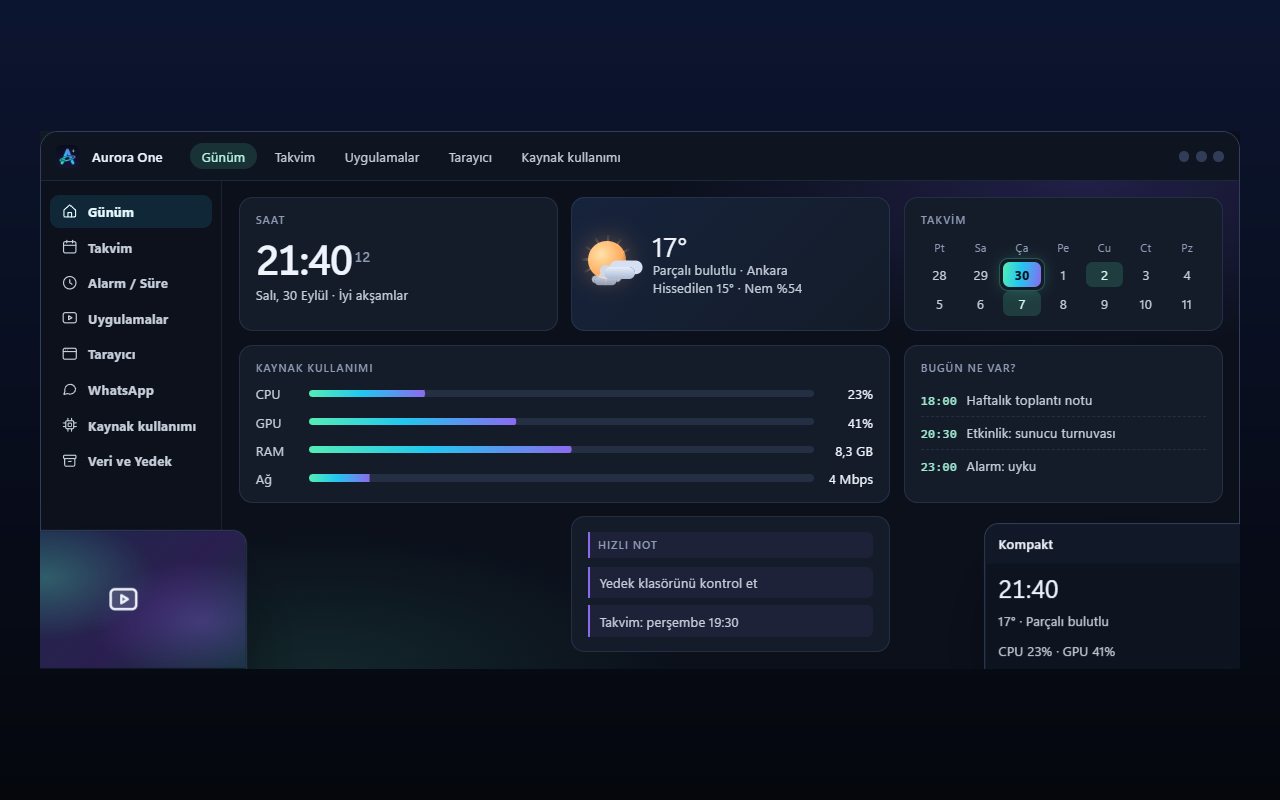
Representative view of the Aurora One App Today screen: section menu on the left, clock, weather, calendar and resource usage cards in the middle.Representative interface

Aurora One App

Windows 10 and 11 (64-bit)

Status: Sales and beta applications are not open yet

Brings the tools you open every day—from calendar and browser to WhatsApp, media apps and system monitoring—into one Windows application; your records stay on your computer.

  • One hub
  • Local records
  • Modular
  • Turkish only
Explore: Aurora One App
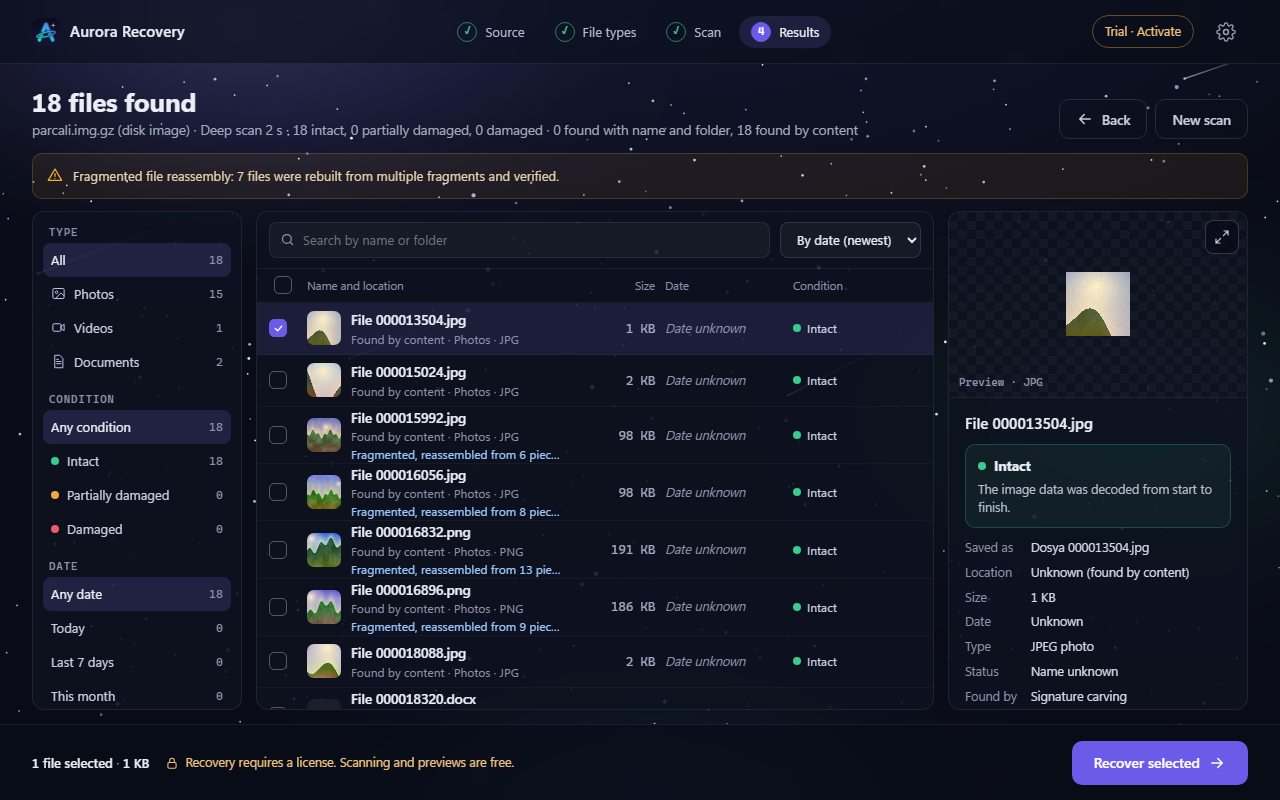
Sample view of the Aurora Recovery results screen: list of found files, each with an integrity label, and a preview pane on the right.Sample view

Aurora Recovery

Windows 10 (1607+) and Windows 11

Status: In final acceptance testing

Finds photos, videos and documents lost to deletion, formatting or corruption on USB drives, SD cards and disks—and tells you whether each file will open before you recover it.

  • Never writes to the disk
  • Honest labels
  • Free scan
  • 21 languages
Explore: Aurora Recovery
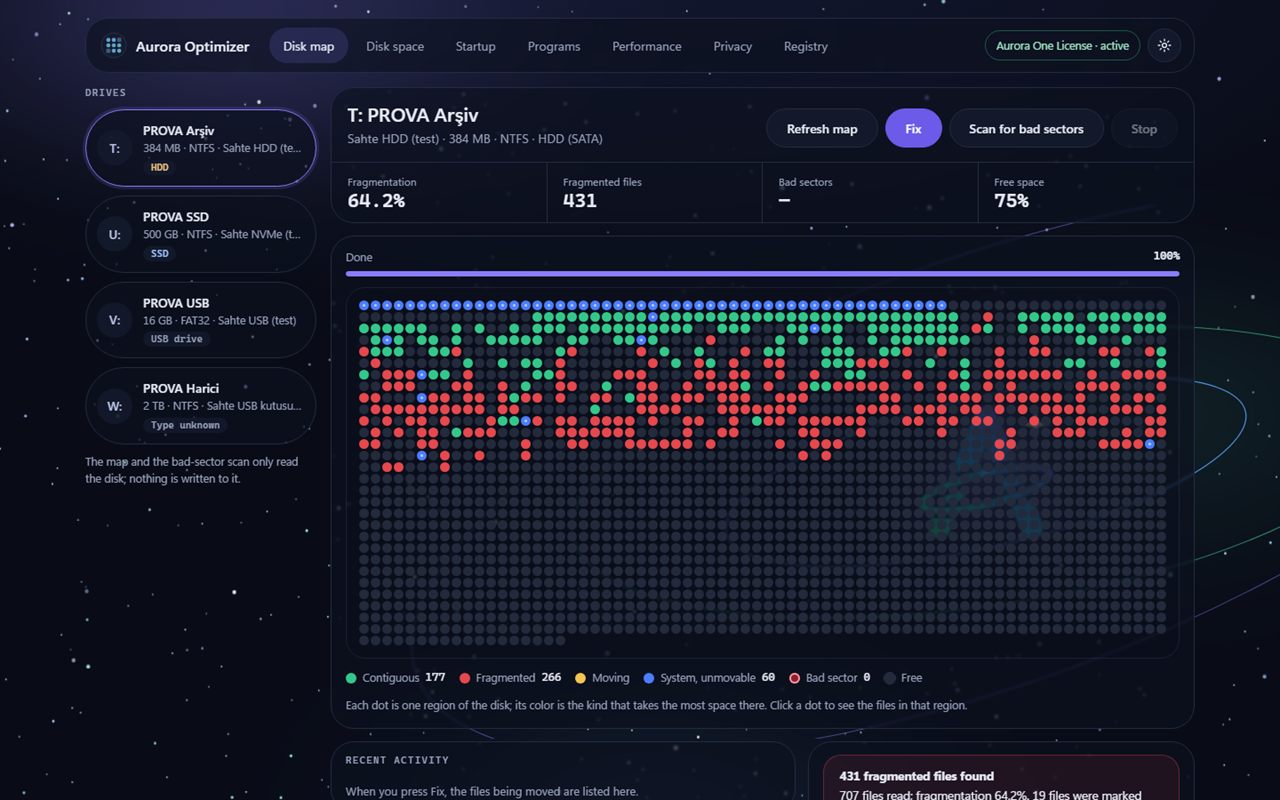
Sample view of the Aurora Optimizer disk map: test drives on the left, a map of coloured dots showing contiguous, fragmented and system regions in the middle, and the Fix button at the top.Sample view

Aurora Optimizer

Windows 10 (1607+) and Windows 11

Status: Beta · download coming soon

Examines your disk, free space, startup, programs and registry, and tells you what it suggests and why. It changes nothing until you choose, backs up every change first and keeps it reversible.

  • Backed up, reversible
  • No made-up numbers
  • Free scanning
  • 21 languages
Explore: Aurora Optimizer
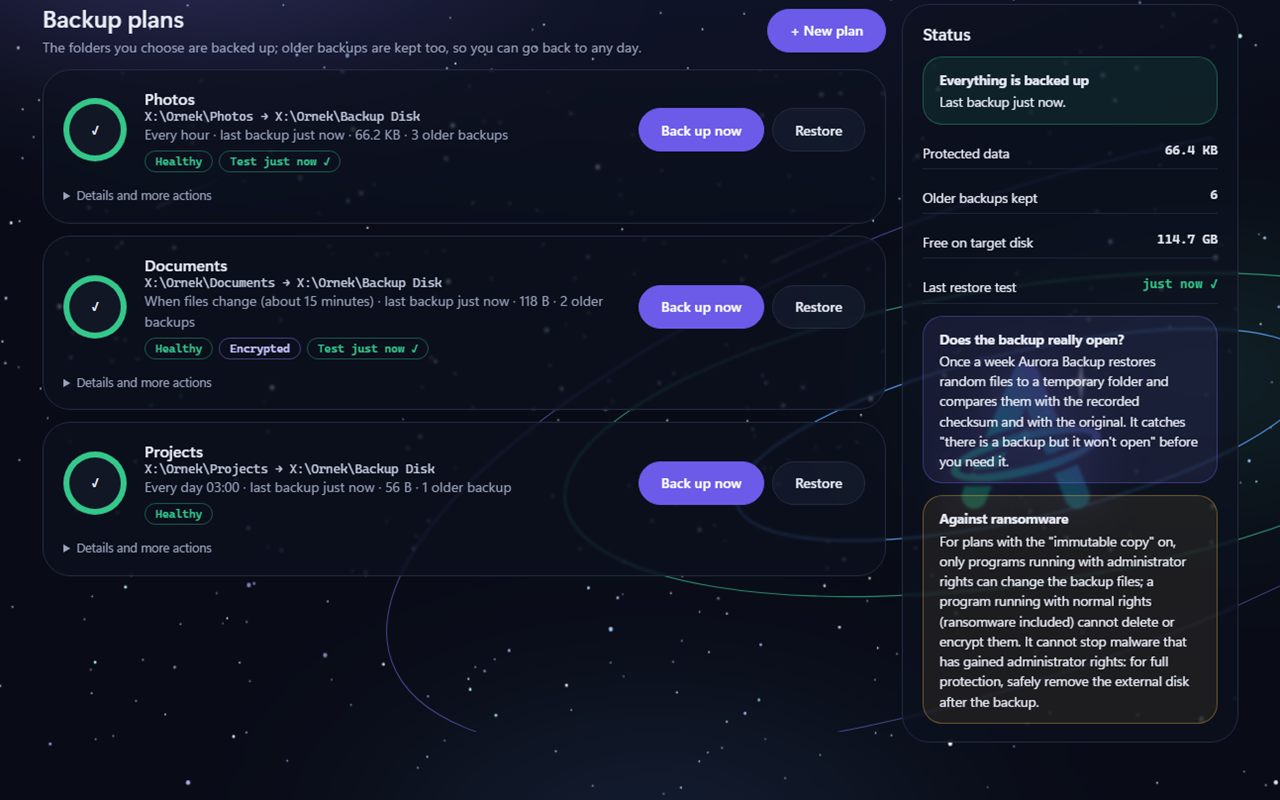
Example view of the Aurora Backup backup plans screen: three plans, each with Back up now and Restore buttons and a Healthy label; on the right, boxes explaining whether the backup really opens and the immutable copy against ransomware.Example view · sample data

Aurora Backup

Windows 10 and Windows 11

Status: Beta · download coming soon

Backs up the folders you choose to an external disk, a second disk or a network folder, keeps older backups too, and lets you go back to any day. It tests regularly that the backup really opens, and when restoring it never overwrites an existing file.

  • Restoring is always free
  • Tests that backups open
  • Never overwrites
  • 21 languages
Explore: Aurora Backup
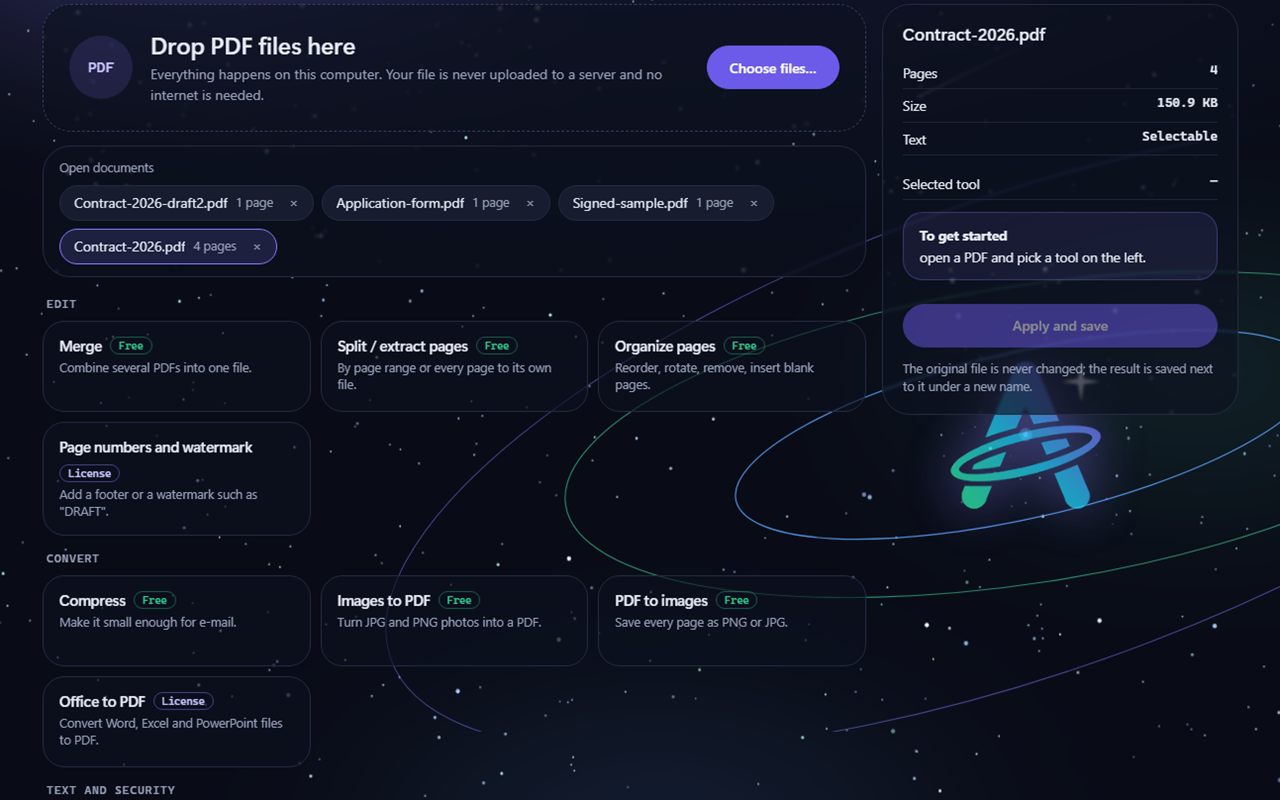
Example view of the Aurora PDF tools screen: a PDF drop area, open documents and tool cards labelled Free or Licence such as Merge, Split, Organize pages, Compress, Images to PDF and Office to PDF.Example view · sample data

Aurora PDF

Windows 10 and Windows 11

Status: Beta · download coming soon

Merges, splits, compresses and edits PDFs; truly removes personal information, adds passwords and signs electronically. Everything happens on your computer; your file is never uploaded to a server and the original is never overwritten.

  • Everything offline
  • True redaction
  • Never touches the original
  • 21 languages
Explore: Aurora PDF
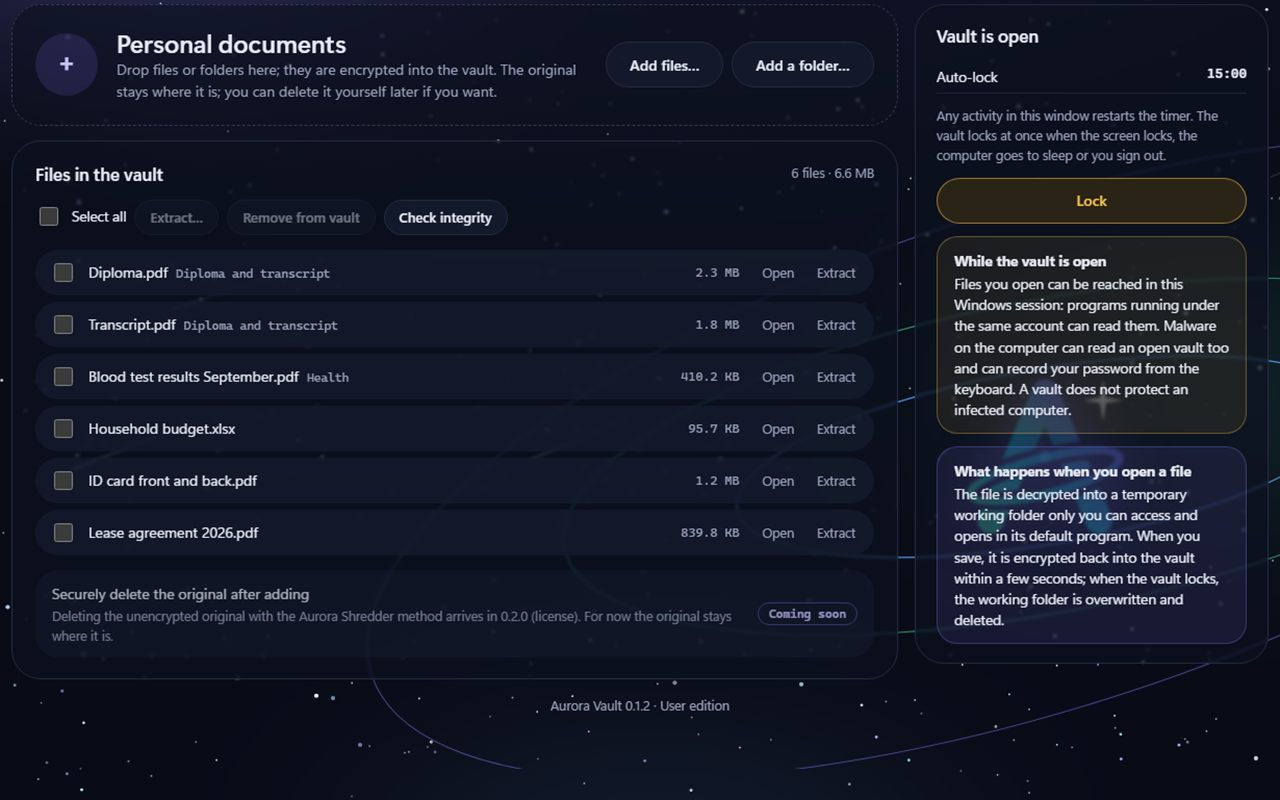
Example view of the Aurora Vault open-vault screen: six files in the vault, the auto-lock timer, the Lock button and the warning that malware can read an open vault.Example view · sample data

Aurora Vault

Windows 10 and Windows 11

Status: Beta · download coming soon

Puts your private files in an encrypted folder locked with a password: file contents and file names are encrypted with AES-256-GCM. If you lose both your password and your recovery key, we cannot open the vault either. It says up front that malware can read a vault while it is open.

  • AES-256-GCM, Windows CNG
  • No back door
  • Limits stated
  • 21 languages
Explore: Aurora Vault
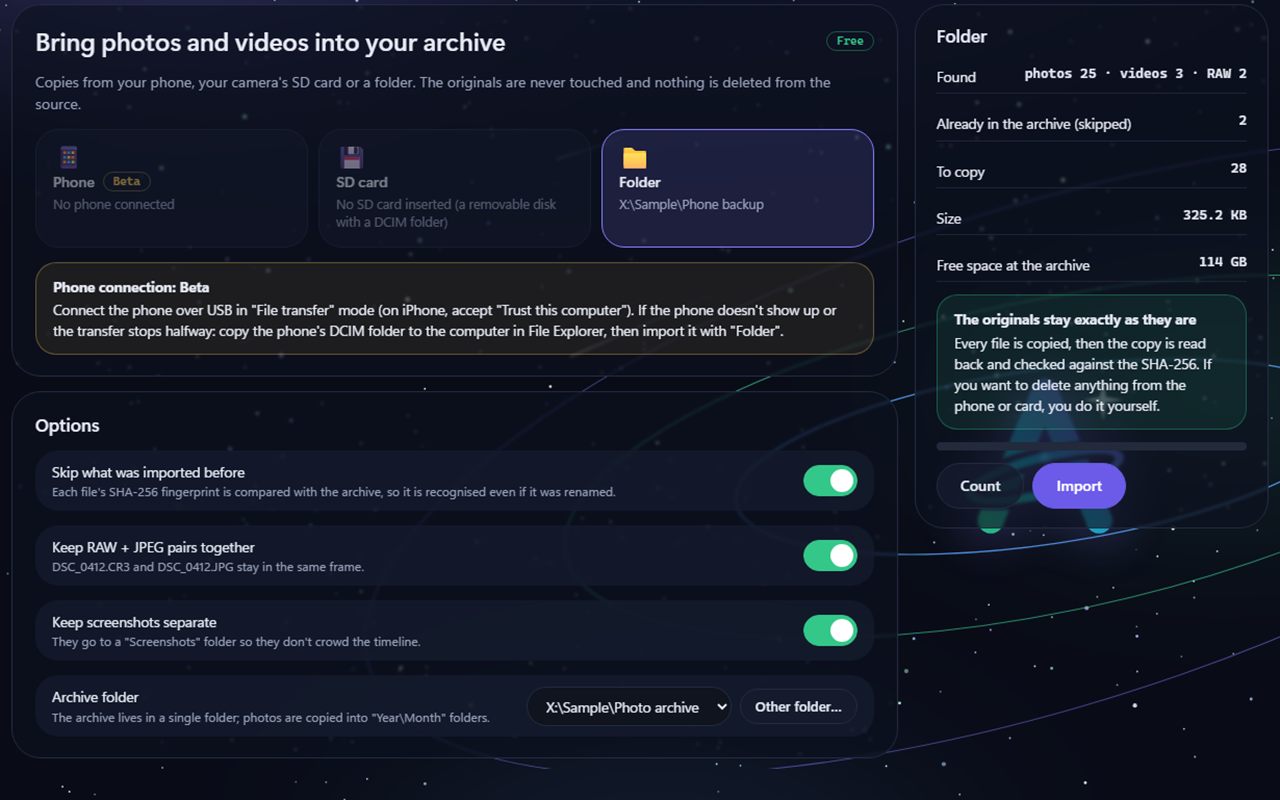
Example view of the Aurora Photos Import screen: Phone, SD card and Folder options, the Phone connection Beta note, import options and the Count and Import buttons on the right.Example view · sample data

Aurora Photos

Windows 10 and Windows 11

Status: Beta · download coming soon

Always copies photos and videos from your phone, SD card or a folder into the archive and never deletes anything from the source. It verifies the copies with SHA-256, groups them into events on a timeline and finds exact duplicates. No face recognition, no cloud and no online map.

  • Copies, never deletes the source
  • No permanent deletion
  • No face recognition
  • 21 languages
Explore: Aurora Photos

Back to the home page